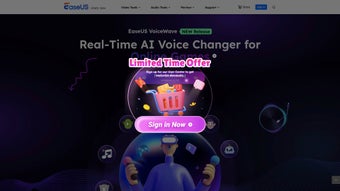

Download EaseUS VoiceWave – Real‑time AI Voice Transformer for Streamers, Educators & Creators
Overview
EaseUS VoiceWave is a cutting‑edge web‑based application that brings real‑time voice transformation to anyone who communicates online. Powered by advanced AI algorithms, the tool lets users change the timbre, pitch, and style of their voice instantly while they are speaking on platforms such as Twitch, Zoom, Discord, Microsoft Teams, and many others. Whether you are a streamer who wants to add a character voice for entertainment, an educator looking to make lessons more engaging, or a content creator seeking a distinctive audio brand, VoiceWave offers a flexible, subscription‑based service that adapts to a wide range of scenarios.
The interface is designed for speed: after logging in, you can select from a library of pre‑made voice profiles (e.g., “Robot”, “Cartoon Hero”, “Deep Male”), fine‑tune individual parameters, and instantly hear the transformation as you speak. Because it runs entirely in the browser, there is no need for heavyweight installations or complex driver setups, making the experience both secure and convenient. VoiceWave also supports multilingual input, allowing users to experiment with accents and language‑specific voice effects.
The result is a seamless, low‑latency auditory makeover that can elevate any virtual interaction and help you leave a lasting impression.
Key Features & Capabilities
- Live Voice Morphing: Real‑time processing with latency under 100 ms, ensuring natural conversation flow.
- AI‑Generated Voice Profiles: Over 30 built‑in characters ranging from sci‑fi bots to fantasy narrators.
- Custom Parameter Controls: Adjust pitch, speed, timbre, resonance, and add effects such as echo, reverb, or robotic distortion.
- Cross‑Platform Compatibility: Works on any modern browser (Chrome, Edge, Firefox, Safari) across Windows, macOS, Linux, Android and iOS devices.
- Multi‑App Integration: Simple plug‑in style routing to popular communication tools (OBS, Streamlabs, Zoom, Discord, Microsoft Teams).
- Multilingual Support: VoiceWave detects language automatically and applies accent‑aware transformations for English, Spanish, Mandarin, French, German, and more.
- Secure Cloud Processing: All audio is encrypted in transit and processed on EU‑based servers, complying with GDPR and CCPA standards.
- Subscription Flexibility: Monthly and annual plans, with a 14‑day free trial for new users.
- Regular Updates: New voice packs and AI improvements released monthly, automatically available to subscribers.
Why These Features Matter
Real‑time voice morphing is the cornerstone of VoiceWave’s appeal. Streamers can switch between characters on the fly, keeping their audience engaged without the need for post‑production editing. Educators benefit from the ability to present material in varied tones—think a deep, authoritative voice for a historical lecture, then a light, playful voice for a language exercise—helping maintain student attention.
Content creators, especially those producing podcasts or short‑form videos, can experiment with distinct voice personas to test audience reaction before committing to a full recording session. The cloud‑based architecture eliminates the hardware constraints that traditional voice changers impose, allowing users on modest laptops or tablets to enjoy the same high‑quality transformation as those with powerful desktops. Security is another critical factor; because audio never leaves the encrypted pipeline, privacy‑concerned professionals can feel confident using VoiceWave in corporate or educational settings.
Installation, Setup & Compatibility
One of the biggest advantages of EaseUS VoiceWave is its zero‑install approach. The service runs entirely within a web browser, meaning you do not need to download any executables or drivers. To get started, follow these simple steps:
- Create an Account: Visit voicewave.easeus.com and sign up using an email address or a social login (Google, Apple, or Microsoft).
- Select a Subscription: Choose between the monthly or annual plan. A 14‑day free trial is automatically activated for new accounts, giving you full access to all voice profiles.
- Grant Microphone Access: The first time you launch VoiceWave, the browser will request permission to use your microphone. Accept the prompt to enable real‑time processing.
- Connect to Your Communication Tool: Inside the VoiceWave dashboard, click “Integrations” and follow the wizard for your preferred app. For example, in OBS Studio you add a “Browser Source” pointing to the provided URL; in Zoom you select “VoiceWave Virtual Microphone” from the audio settings.
- Pick a Voice Profile: Browse the library, adjust the sliders, and test the result using the built‑in preview window. When you’re satisfied, click “Activate” and start speaking—your transformed voice will stream live.
Supported Operating Systems & Browsers
Because VoiceWave is web‑based, it supports any operating system that can run a modern browser. The official list includes:
- Windows 10, 11 (Chrome, Edge, Firefox, Safari)
- macOS Monterey, Ventura, and later (Chrome, Safari, Firefox)
- Linux distributions with recent Chromium‑based browsers
- Android 9+ (Chrome, Samsung Internet)
- iOS 14+ (Safari, Chrome)
For the best latency and audio quality, EaseUS recommends using Chrome or Edge with hardware acceleration enabled. Users on older browsers may experience slightly higher latency but will still benefit from the core transformation features.
Pros, Cons & Frequently Asked Questions
Pros
- Instant, real‑time voice changes with negligible lag.
- No software installation; works directly in the browser.
- Extensive library of AI‑generated voice profiles.
- Highly customizable parameters for granular control.
- Secure, GDPR‑compliant cloud processing.
- Regular updates add fresh voices and improve AI models.
Cons
- Requires a stable internet connection for cloud processing.
- Subscription model may be a barrier for occasional users.
- Limited offline functionality; no desktop‑only mode.
- Latency can increase on low‑bandwidth networks.
- Advanced features (e.g., custom voice training) are only available on higher‑tier plans.
Frequently Asked Questions
Is EaseUS VoiceWave free to use?
VoiceWave offers a 14‑day free trial that provides full access to all voice profiles and settings. After the trial, you need to choose a paid subscription (monthly or annual) to continue using the service.
Can I use VoiceWave on a mobile device?
Yes. The web application is fully responsive and works on Android and iOS browsers. You simply need to grant microphone access and, if needed, connect the app to a mobile‑compatible communication tool such as Discord mobile or Zoom.
How secure is my audio data?
All audio streams are encrypted with TLS 1.3 during transmission and processed on servers located in the EU that comply with GDPR and CCPA. VoiceWave does not store raw audio recordings unless you explicitly enable the “Save Session” feature.
What is the typical latency I can expect?
Under optimal network conditions, latency is usually below 100 ms, which is imperceptible for most live interactions. Higher latency may occur on slow or congested connections.
Can I create my own custom voice?
Custom voice training is available on the “Professional” tier. You upload a short sample of your voice, and the AI builds a personalized voice model that can be blended with existing effects.
EaseUS VoiceWave stands out as a highly accessible real‑time voice transformation tool. Its browser‑only architecture removes the friction of traditional installers, while the AI‑driven voice library provides enough variety to keep creators inspired. The subscription cost is justified for power users who need regular updates and custom voice training, but casual users might wish for a more flexible pay‑as‑you‑go option. Overall, the service delivers on its promise of seamless, secure, and low‑latency voice modulation.
Conclusion – Should You Download EaseUS VoiceWave?
If you spend any amount of time speaking on a digital platform—whether you are a gamer, a teacher, a podcaster, or a business professional—EaseUS VoiceWave offers a powerful yet straightforward way to add personality and clarity to your voice. The real‑time AI engine, extensive voice catalog, and cross‑platform web design make it a compelling choice for anyone looking to differentiate themselves in a crowded virtual space. While the need for a constant internet connection and a subscription model may deter some, the value delivered through low latency, security, and regular feature updates often outweighs those considerations. For creators who want to experiment, engage audiences, or simply have fun with vocal effects, the 14‑day trial provides a risk‑free opportunity to explore the full suite.
Ready to transform your voice? Download EaseUS VoiceWave now and start your free trial. Experience the future of live audio customization and make every virtual conversation memorable.



.png)



